
Quality control in high-volume statement printing with automation
Quality control in high-volume statement printing matters because a small production error can affect many pieces before it’s noticed. Standardized checks, automated inspection of critical details such as barcodes, and piece-level tracking help identify defects, verify that pages match their intended contents, and keep production accountable.
Print appearance is only part of the picture. Consistency depends on what happens before, during, and after printing. Color variation, incorrect content, and finishing errors can all undermine a statement’s accuracy and professional presentation.
This article explains how quality checks work across a statement-printing run, how production data helps reveal defects and variation, and where automated inspection can protect critical information. It also looks at how connected monitoring and other Industry 4.0 technologies help teams spot issues sooner, trace them to their cause, and improve the process over time.
Key Takeaways
- Set print standards against approved proofs, then inspect finishing as well as the printed image to catch defects before the run is complete.
- Use color measurements across the sheet, not just a control strip, to reveal variation and record adjustments that can guide future runs.
- Match inspection coverage to risk: check critical elements such as barcodes on every piece, while sampling can suit less critical features.
- Connect production data, equipment monitoring, and review cycles to trace problems to their causes and make effective process improvements stick.
Production quality control in print and packaging
Quality control connects approved print standards with checks throughout production and finishing. For statement jobs, the goal is to catch defects before they spread across a run.
Production Troubleshooting and Defect Reduction
When a defect appears, identify its likely cause and correct the process before more statements are affected. Compare the initial output with approved proofs, then monitor consistency as the run proceeds. If a problem emerges, review print settings, materials, and production setup. A controlled response helps limit avoidable spoilage and maintain reliable output.
Workflow Quality, Cost, and Turnaround
Quality, cost, and turnaround depend on workflow choices such as print method, volume, inspection requirements, and finishing. Standardized production can support consistency, while extra checks or complex finishing add handling. The right balance depends on the statement’s content and delivery requirements. Compare workflows by weighing the impact of potential defects against the time and resources needed to inspect and correct them.
Defect Rates, Reprints, and Quality Checks
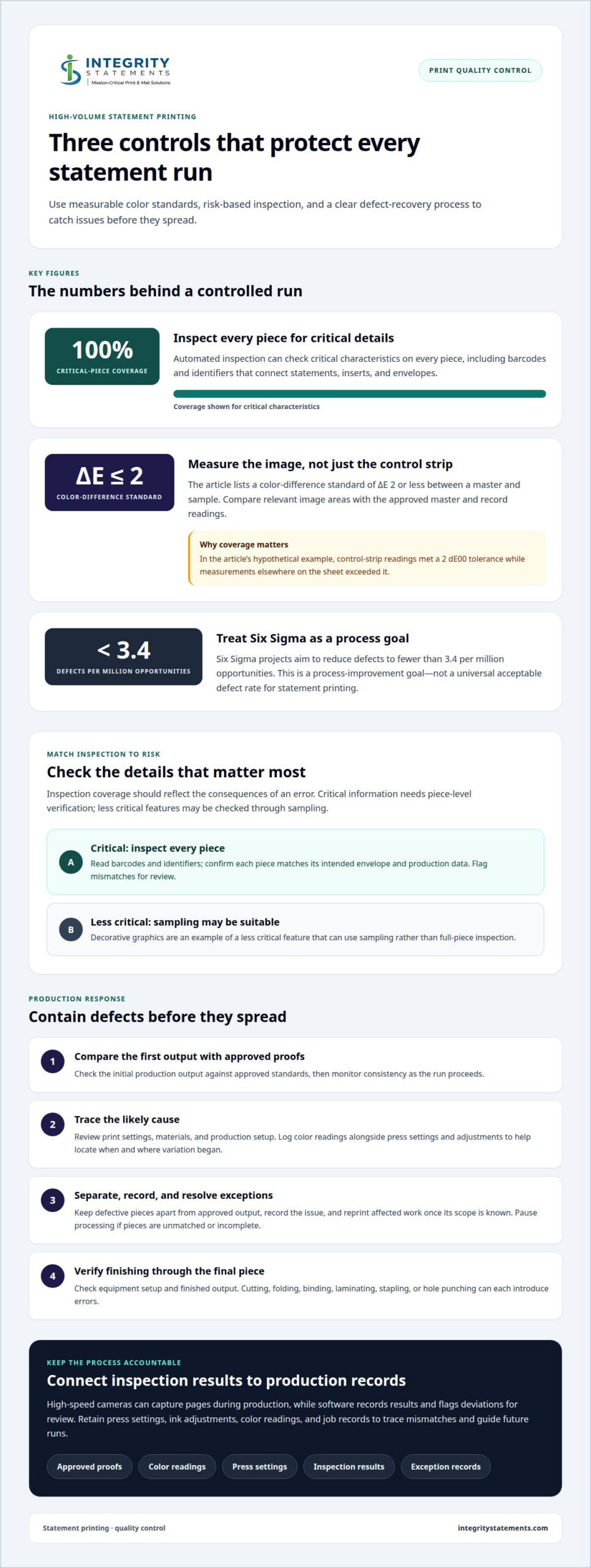
There is no single acceptable defect rate for every statement run; the threshold depends on the work’s requirements and the consequences of an error. Six Sigma projects aim to reduce defects to fewer than 3.4 per million opportunities, but this is a process-improvement goal, not a universal statement-printing tolerance. Checks include comparing the first production run with approved proofs, sorting finished pieces, and confirming finishing equipment is correctly set up.
Reprints and spoilage need a clear exception process. Separate defective pieces from approved output, record the issue, and reprint only the affected work once its scope is known. If pieces are unmatched or incomplete, pause processing until the exception is resolved. Automated folding, stapling, or hole punching can reduce manual handling, but each step still needs setup checks.
Production capacity depends on whether presses, materials, and finishing equipment can handle the scheduled volume. Check supplies before a run, then verify machine settings and finishing setup against the job requirements. Cutting, folding, binding, and laminating each create opportunities for errors. Matching capacity to the work helps prevent bottlenecks and ensures quality checks extend through the finished statement.
Data tracking for print defects and color variation
Reliable quality control in high-volume statement printing depends on measurements that reveal variation across a sheet, not just at a single point. Recording color readings alongside press settings and adjustments helps teams see when a change began and whether it affected the entire page or only one area.
For example, a hypothetical sheet’s control-strip readings met a 2 dE00 tolerance, while measurements elsewhere exceeded it. That contrast shows why control-strip results alone may not represent the printed image. Compare readings from relevant image areas with the approved master, then log deviations and production changes. The listed color-difference standard between a master and sample is ΔE of 2 or less.
Press characterization establishes how a press reproduces color on a particular substrate. Expanded color gamut printing can reproduce a broader range of hues, but ink, stock, and press conditions still affect the result. G7 calibration focuses on gray balance and tonality, helping teams seek visually consistent color across devices. Monitoring those characteristics can help distinguish a press-wide shift from a localized image variation.
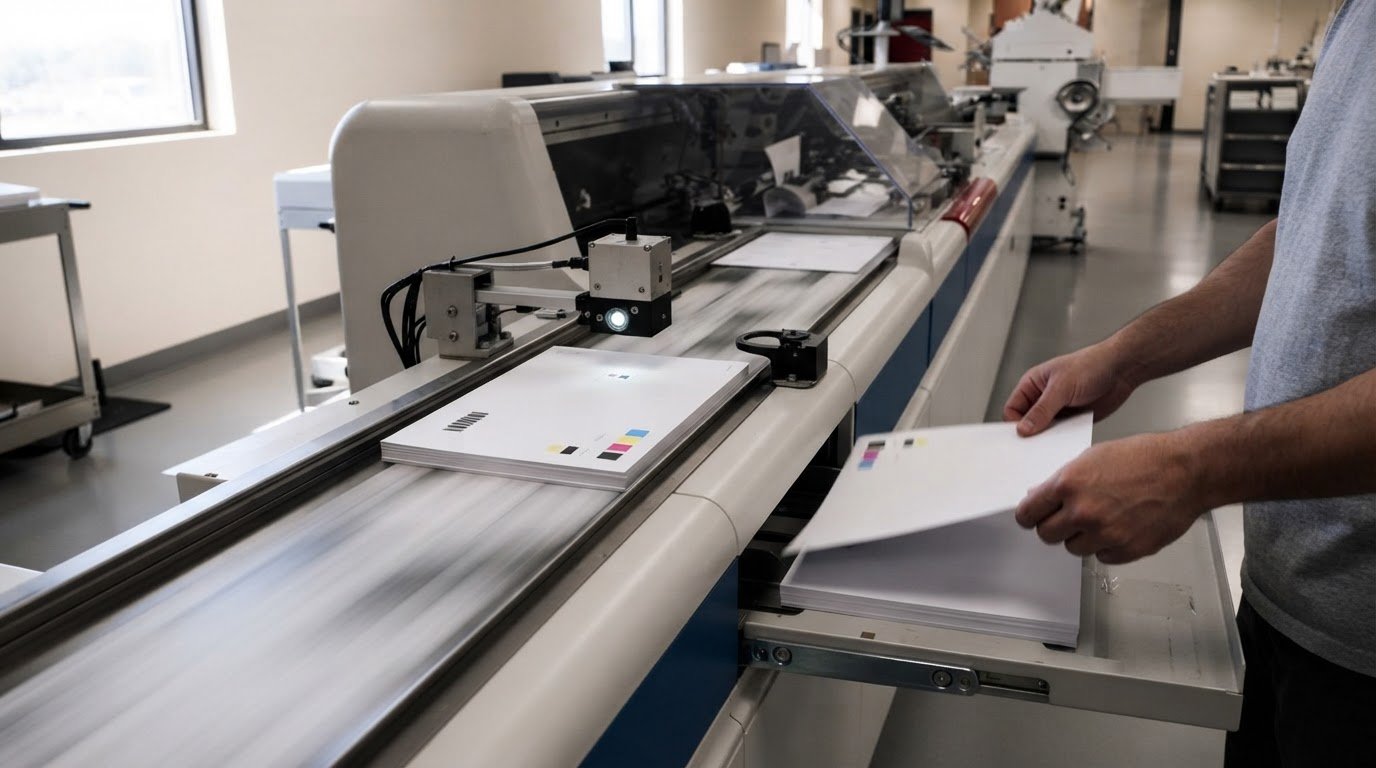
Inline inspection can use high-speed cameras to capture pages during production, alongside measurement and reporting tools. In statement printing, these tools can capture image details as the run proceeds, while software records results and flags deviations for review. This gives operators a fuller view than visual checks made only after production.
For accurate color matching, compare like with like: printed hues can look different across substrates, ink systems, and presses. Record press settings, ink adjustments, and color-matching documents for each job. These records help reproduce a correct result or trace the source of a later mismatch.
For statement projects, consistent color measurement and production records can support print quality planning from setup through delivery.
Automated inspection of barcodes and critical characteristics
Automated checks connect statement data with printed pages, inserts, and envelopes. They can catch mismatches before mail pieces leave production.
Automated Verification and Compliance Checks
Automated verification applies defined checks to production data and printed output, helping teams spot errors consistently. For critical characteristics, automated inspection can cover 100% of pieces; less critical features, such as decorative graphics, can use sampling. This risk-based approach directs attention to details that could send incorrect information or content to a recipient.
Barcode Inspection and Data Integrity
Barcode inspection reads identifiers on pages and inserts, then checks whether each piece matches its intended envelope. This supports accurate personalization by linking each statement to its production data. Check and refine data before printing, including address details and safeguards for sensitive information. Flag mismatches for review instead of passing them forward.
For financial statements in the United States, protect sensitive data through safeguards such as user authentication, secure print release, and encryption. SOC 2 Type II, HIPAA, and PCI are relevant security and compliance measures, depending on the information and applicable obligations; they are not interchangeable controls.
Reconciliation connects each production job to its output and exceptions. Job ticketing and piece-level tracking can record production progress and account for mailed pieces. Reports can show which pieces passed checks, which were held, and what required correction, creating a traceable record of print-and-mail processing.
Connected workflows can route jobs according to predefined rules, while machine checks read barcodes and confirm piece matching. Combining job tickets, inspection results, and exception records helps reconcile work from file preparation through mailing. Teams can then locate discrepancies, assess their scope, and document how they were resolved.
Industry 4.0 technologies in print quality control
Industry 4.0 connects print equipment, workflow software, and production data. In statement operations, this structure helps teams see equipment status, identify process changes, and use recorded results to guide quality decisions.
Remote device monitoring can report machine status, supply levels, and maintenance needs. If a press signals a supply issue, operators can respond before it interrupts the run. These alerts don’t replace quality checks. They add context to help distinguish equipment interruptions from defects caused by file setup or print conditions.
Workflow automation applies predefined rules to route, format, and prioritize print jobs. Monitoring and reporting can show what is being printed, where it is in production, and its associated costs. Connecting print workflows with ERP, CRM, or document management platforms can also reduce duplicate data entry, helping keep job information aligned across systems.
The key shift is from isolated inspection results to a shared basis for decisions. Teams can review production records alongside device status and maintenance reports to investigate whether a recurring problem relates to a particular machine or job condition. These records support a reasoned diagnosis instead of relying on memory.
Continuous improvement gives that data a practical purpose. The PDCA cycle means planning a change, implementing it, evaluating the result, and making successful improvements permanent. Fishbone diagrams can map possible causes, while the 5 Whys technique helps investigate a likely cause. Reviewing documented procedures and client feedback adds another view of print quality.
A measured rollout keeps changes manageable: test a quality program on one press and one substrate, then review results weekly or monthly. If the change improves consistency, make it part of the standard process before expanding. This approach connects technology with people and procedures, supporting reliable production and delivery without treating automation as a substitute for judgment.
Integrity Statements: Custom Print & Mail
Integrity Statements provides Custom Print & Mail for organizations that need a tailored approach to printed communications. Define the required quality checks, tracking, and exception procedures, then use this service to bring those requirements into a print-and-mail project.
Consider a custom scope when your communication needs don’t fit a standard workflow. Discussing materials, production requirements, and delivery objectives helps shape a practical project plan while keeping accuracy and consistency in focus.
To discuss your print-and-mail requirements, contact Integrity Statements.
Make quality a working standard
Turn quality expectations into a practical operating standard: define the most important errors to catch, how to handle exceptions, and which production records teams need for sound decisions. Update the standard as statement requirements change, keeping quality control in high-volume statement printing aligned with the needs of recipients and the organization.
For printed customer communications, Integrity Statements provides Statement Printing and Mailing, Invoice and Billing Printing and Mailing, and Healthcare Communications Printing and Mailing. These services support programs where dependable production and delivery are central to the communication.
Bring your requirements and production priorities into a focused conversation. Contact Integrity Statements today to discuss your print-and-mail needs and identify a suitable next step. With clear priorities in place, your team can move forward with greater confidence in the process.
Frequently Asked Questions
Why is this important?
A statement can look clear yet still reach the wrong person or contain incorrect account information. A mismatch between a statement and its envelope can expose sensitive details and erode trust. Checking the recipient identifier against the job record before mailing can catch a mix-up that a visual inspection of the page alone might miss.
How are barcode, OCR, and machine-readable marks validated on printed statements?
Validation compares information captured by a scanner or reader with the expected job or document record. A barcode reader can check that a printed identifier is readable and belongs to the intended piece. OCR can recognize printed text, such as an account reference, for comparison with source data. Route unreadable marks or differing values for review rather than treating them as a match.
What controls prevent page mixing, missing pages, and duplicate statements?
Use unique piece identifiers and reconcile scanned production events against the job’s expected sequence. For example, matching identifiers on each page of a multi-page statement let a system detect a missing or out-of-order page before insertion. Duplicate identifiers can also be flagged for investigation. Keep exception pieces separate until resolved so they aren’t mistakenly released with completed mail.
How do print providers test address accuracy, envelope matching, and postal presort quality?
Address checks can use CASS and Delivery Point Validation, while NCOA validation and Address Change Service can help manage address changes and undeliverable mail. Compare the address in the statement record with the address printed on its matched envelope. Intelligent Mail Barcode tracking can add mailpiece-level visibility. Together, these checks help identify address or matching discrepancies before mail enters delivery.
What are common causes of statement printing errors and how can they be prevented?
Errors can start with inaccurate source data, an incorrect file version, a job setup mismatch, or a machine interruption. Compare the production file with the approved job record, then verify a sample from the run against the intended recipient and document details. Record exceptions and corrections so recurring causes can be traced and addressed in the workflow.


