Dallas Business Mail Processing for Letters and Packages
Mail processing involves more than sorting incoming items. In Dallas, business mail processing can include receiving and routing letters and packages, forwarding mail, and preparing outgoing communications. Direct mail may move from file submission through printing, addressing, presorting, and postal entry.
Incoming correspondence needs to reach the right people, while an outbound mailing depends on accurate files and careful production. Those are connected but distinct workflows, and understanding where each step fits makes it easier to plan business communications.
This guide explains how incoming mail is handled and forwarded, what happens during direct mail production, and how documents move from print to mailing. It also covers how postcards, letters, brochures, and self-mailers serve different campaign needs, and what to consider when planning business-critical communications.
Key Takeaways
- Learn how businesses can organize incoming letters and packages so each item reaches the right recipient or destination.
- Understand how sorting and forwarding fit into mail handling, including how Dallas mail operations affect processing routes.
- See how automated production helps move business communications from prepared files through print and addressing.
- Choose a direct mail format that suits your message, then follow the production steps through postal entry.
Handling letters, packages, and certified mail
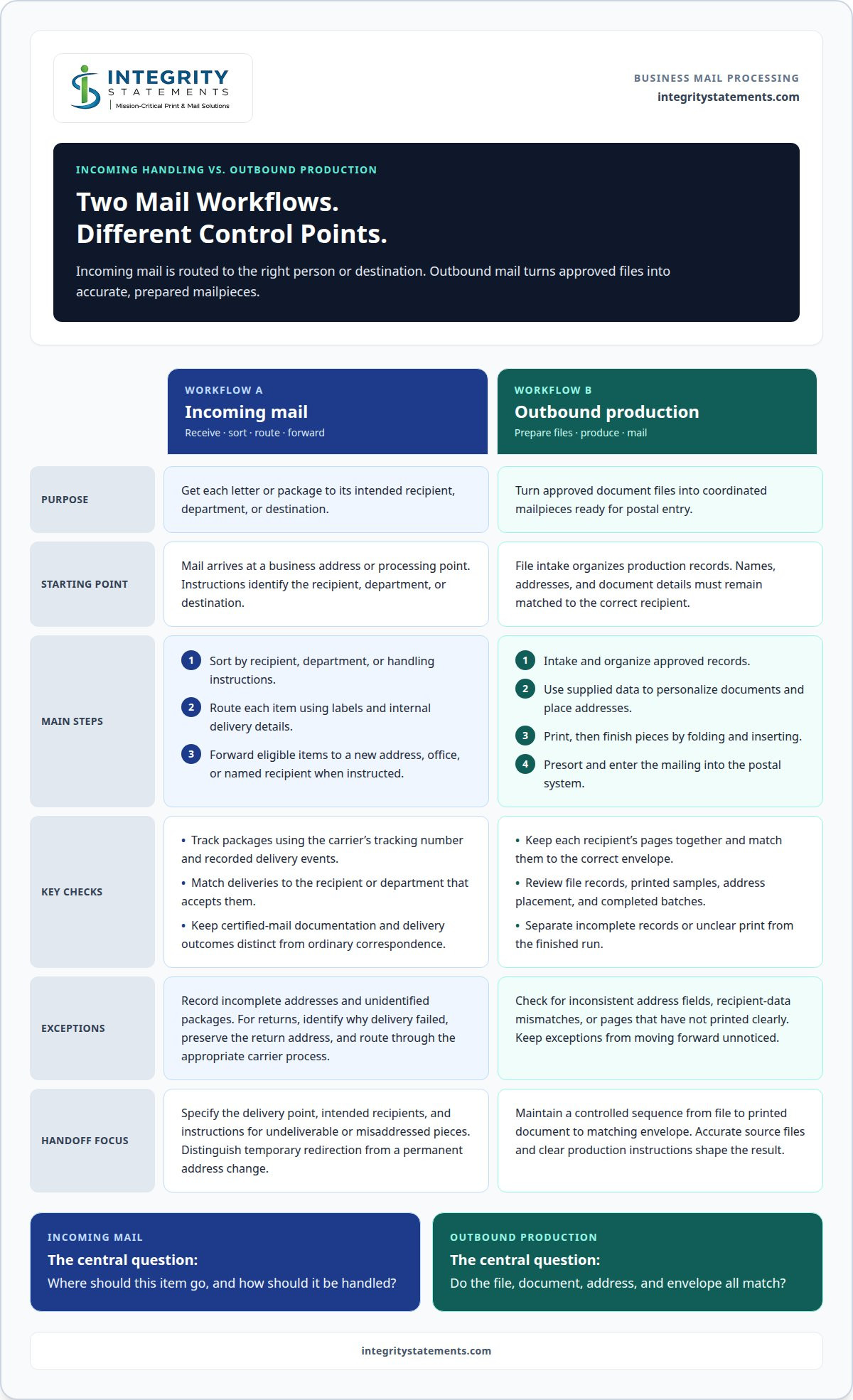
For Dallas business mail processing, incoming letters and packages need a clear route from receipt to the intended department or recipient. A workflow sorts mail by recipient, department, or handling instructions, then records exceptions such as incomplete addresses or unidentified packages. Clear routing helps prevent misdirected items and makes follow-up easier.
Package tracking relies on the carrier’s tracking number and recorded delivery events. Staff can use these details to check a shipment’s status, match a delivery to its recipient, and investigate a package that has not reached its expected destination. For example, a receiving record can link a tracking reference to the department that accepts the package.
Returns require a separate step. Staff identify why a package could not be delivered, preserve its return address, and route it through the appropriate carrier process. For certified mail, the sender’s records should link the item to its mailing documentation and delivery outcome, keeping proof of mailing distinct from ordinary incoming correspondence.
What security and privacy risks should businesses consider when outsourcing mail processing? Sensitive letters can expose personal, financial, or healthcare information if misrouted or handled without controlled access. Businesses should define recipient permissions, secure storage, exception handling, and records for every handoff.
Do Dallas business mail processors handle scanning, digital mail, and check processing? These are separate from sorting physical mail and packages. Scanning and digital mail capture and route document content, while check processing involves handling payments. Each workflow needs its own instructions and controls.
Which Dallas neighborhoods and business districts do local mail processors serve? Routing depends on the business’s mailing address and its collection or delivery arrangement, not a universal neighborhood list. The Dallas business address determines where incoming items go and which delivery details belong in the processing plan.
UT Dallas illustrates why mail rules and recipient instructions matter. Its personal-mail policy is identified as UTDBP3069) § 4.C; employees must arrange pickup of questionable personal items within five business days, or those items are returned to the sender. That campus policy is specific to UT Dallas, not a general rule for Dallas businesses.
Mail sorting, handling, and forwarding
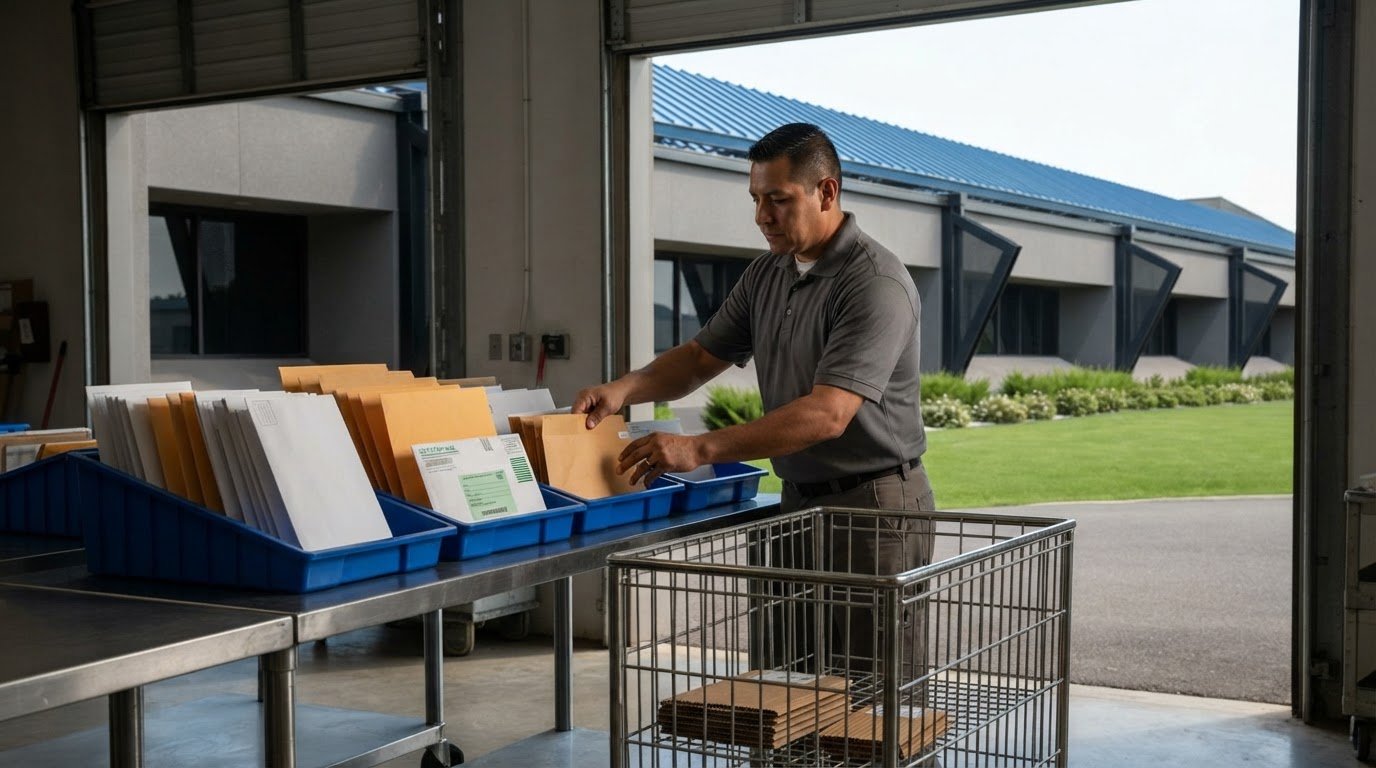
Sorting begins when incoming mail reaches a business address or processing point. Staff separate items by recipient, department, or destination, then route them according to the organization’s instructions. For example, a shared mailbox may receive correspondence for several departments. Labels and internal routing details help direct each piece to the right team.
Forwarding adds another decision: should an item go to a new address, another office, or a named recipient? The processor follows the forwarding instructions to identify eligible mail, update its destination, and separate exceptions such as incomplete addresses. Businesses with multiple offices can define a route for each location, helping prevent items for one branch from entering another branch’s workflow.
Dallas postal operations also affect how incoming mail moves through the region. Processing at the Dallas Processing and Distribution Center Business Mail Entry Unit in the Southwest Division is temporarily suspended. Incoming mail processing was planned to transfer from the Dallas Processing and Distribution Center to the Fort Worth processing facility. These changes concern postal operations, not a business’s internal forwarding instructions.
Which Dallas mail processing companies offer pickup and delivery? Pickup and delivery depend on the processor’s service arrangement and the business address. A route may collect mail from a business mailbox, receive it at a processing location, or return sorted items to an office.
For a smooth handoff, instructions should specify the delivery point, intended recipients, and how to handle undeliverable or misaddressed pieces. For example, mail for a former employee can be separated as an exception rather than routed with current staff correspondence. A forwarding record should also distinguish temporary redirection from a permanent address change.
Dallas business mail processing combines postal movement with organization-specific sorting. Clear routing details help staff distinguish incoming delivery, internal distribution, and forwarding. The planned facility transfer is a separate change in the regional processing path.
Automated mail production
Automated production turns approved document files into coordinated mailpieces. A typical run starts with file intake, where records are organized for production. For example, a statement file may contain different names, balances, and mailing addresses. Each field must stay matched to the right recipient as the documents are produced.
Next, the production system uses supplied data to personalize each piece, placing the recipient’s address and document details in the correct positions. A business notice, for instance, may use the same layout for every recipient while changing the name and account information. Consistent data structure helps prevent mismatches between pages.
After printing, pieces move through finishing steps such as folding and inserting. The order matters: pages for one recipient must stay together, and the matching envelope must carry the correct address. A controlled sequence connects each printed document to its envelope instead of treating them as unrelated output.
Quality checks focus on handoffs between stages. Production staff can review file records, printed samples, address placement, and completed batches for visible errors. If a record is incomplete or a page has not printed clearly, separating that exception from the finished run helps prevent it from moving forward unnoticed.
Automation supports repeatable production, but the source file and instructions still determine the result. Inconsistent address fields can lead to inconsistent output, while a clear template defines where recipient data belongs. For a recurring mailing, an approved layout can be reused with each new file. This keeps production orderly while allowing document content to change from one mailing to the next.
Brochures are useful for product details, service explanations, or visual storytelling. These are distinct purposes to keep in view when considering brochure content. Product details, service explanations, and visual storytelling each identify an aspect that may be relevant to the material. The fact that brochures can serve these purposes does not require treating them as interchangeable: the content can be considered in terms of product details, service explanations, or visual storytelling. Keeping those stated uses in focus provides a simple way to describe what a brochure may be useful for, without assigning it a purpose beyond those listed.
Direct mail printing and mailing workflow
A direct mail campaign moves through connected production and postal-entry steps. The format, recipient data, and preparation method shape the workflow.
Bulk Mail Setup and Permits
A mail processor can coordinate bulk mail preparation, presorting, and postal entry. Setup starts with the campaign format, mailpiece details, destination, and recipient data. The business can provide its mailing list or campaign information for mailing-list support. The processor uses these details to prepare the mailing and handle permit-related setup as part of the agreed workflow. Review how list data, preparation, and postal entry connect.
Outsourcing the Mailing Workflow
For outsourced mailing, the business supplies approved files, artwork, mailing data, and instructions. The processor can coordinate file intake, print production, addressing, data application, presorting, tray or sack preparation, and USPS entry. A statement campaign, for example, needs recipient records matched to the correct printed content and address. Clear files and specifications give each production step a defined input.
Choose a format to match the purpose. Postcards suit short offers, reminders, and event promotions. Letters support personalized notices and response-driven campaigns. Brochures carry more product or service detail, while self-mailers are folded pieces sent without envelopes. Targeted mail uses individual recipient details; Every Door Direct Mail® reaches selected carrier routes without individual names and addresses.
Presort software and USPS preparation methods can help eligible mail qualify for lower postage rates. After preparation, the Dallas mailing facility sends shipments to postal facilities several times a day. Its proximity to the U.S. Postal Service Bulk Mail Center and Main Post Office supports coordinated entry into the postal network.
For a mailing that needs coordinated printing, addressing, and postal preparation, discuss your direct mail project.
The mailing service uses certified postal presort software and works with U.S. Postal Service mail personnel. These support the preparation and postal-entry coordination of a direct mail campaign, alongside recipient-data handling and mailpiece preparation. Together, they connect presorting and postal coordination with the other stages, from organized mailing preparation through entry into the postal network.
Integrity Statements
Integrity Statements helps organizations manage business-critical communications through print and mailing services. Turn to the company when recurring statements, invoices, healthcare communications, tax forms, regulatory mail, or customer notices need coordinated production and mailing. The right workflow connects document files, recipient information, print output, and mailing preparation, keeping each stage aligned with the communication’s purpose.
A statement mailing and a customer notice, for example, may need different content and recipient data even when both follow a print-to-mail process. Integrity Statements supports these communications with services tailored to the document type, helping organizations move essential mail beyond internal handling.
To discuss your business mail requirements, contact Integrity Statements.
Plan Your Next Mailing With Confidence
Start by defining what the mailing needs to accomplish. Consider who must receive it, what information each piece should carry, and how the finished communication should reach its destination. Clear priorities help shape a Dallas business mail processing plan around the message, recipient data, and production requirements.
Integrity Statements supports essential communications through Statement Printing and Mailing, Invoice and Billing Printing and Mailing, and Healthcare Communications Printing and Mailing. These services help organizations coordinate recurring document distribution around their business needs.
A focused conversation can clarify the communication type, the materials involved, and the production workflow that fits. Contact Integrity Statements today to discuss your business mail requirements and take the next step with care.
Frequently Asked Questions
What business mail processing services are available in Dallas, Texas?
Dallas-area businesses can use print-and-mail services for statements, invoices and billing, healthcare communications, tax forms, regulatory mail, and customer notices. Integrity Statements supports these business-critical communications, with secure file transfer and variable data printing available for personalized documents. For a Texas organization, the appropriate workflow depends on the document type, recipient information, and mailing requirements. Custom Print & Mail can also support tailored business communications.
Which Dallas mail processing companies offer pickup and delivery?
Pickup and delivery depend on the processor’s service arrangement and the business address. A route may collect mail from a business mailbox, receive it at a processing location, or return sorted items to an office.